How to join the AVADO Discord
By AVADO team · Published · Last updated:
Disclaimer: Mods will never DM you or tell you to delete messages in public channels.
The AVADO Discord is token-gated: to join, you mint the AVADO NFT with the email you ordered with, then verify your wallet with Collab.Land. Here is the step-by-step guide.
Step 1: mint your AVADO NFT
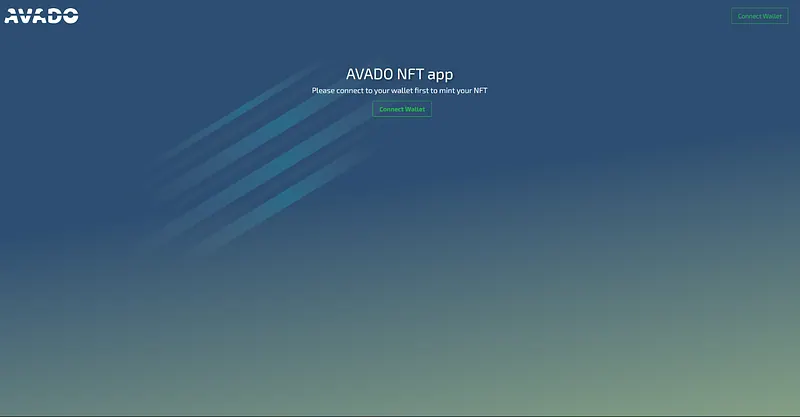
The AVADO NFT is your key to the Discord: mint it on https://nft.ava.do/ using the email you ordered from. In case you get an error message you can fill out this form to receive help with your minting process.
Why is the Avado discord token-gated with an NFT? To prevent scammers from joining. So always keep discussions in public channels on our discord to stay safe.
Go to: https://nft.ava.do/ connect your wallet and sign the minting transaction.
Step 2: join the Discord
The next step is to join the AVADO Discord and go to the #collabland-join channel.
Step 3: verify with Collab.Land
Collab.Land is the service that checks you hold the AVADO NFT. You will be asked to verify with it: click the Let’s go! button to start.
After verifying you now have access to the community-channels
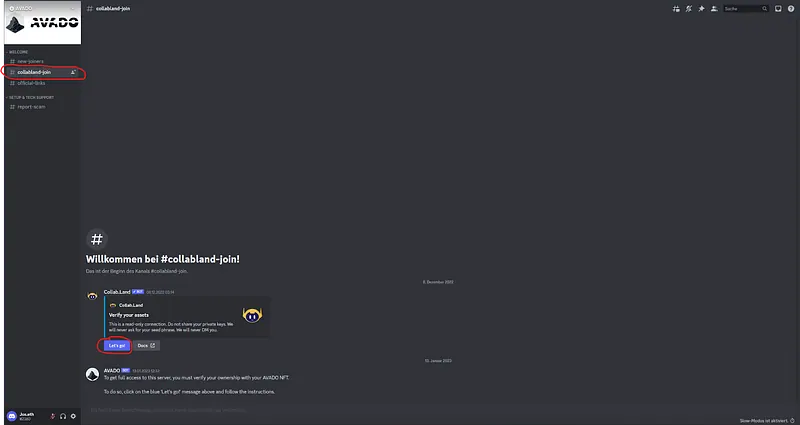
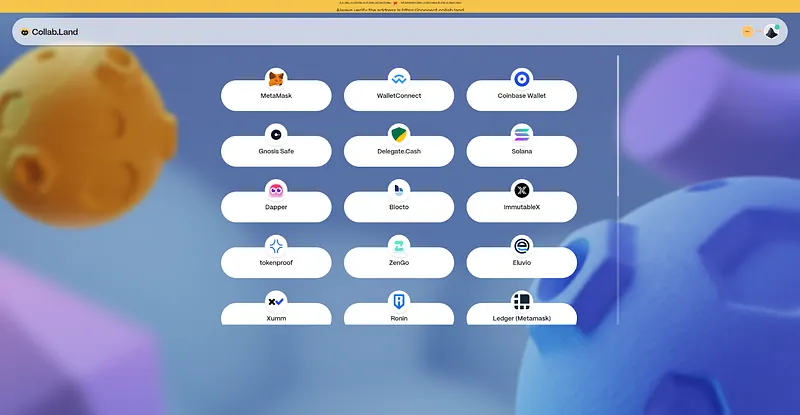
The button will create a custom link that is valid for 5 minutes. It takes you to the Collabland website where you have to choose the wallet you minted the Avado NFT from.
Step 4: sign the message
The signature is your proof that you own an Avado NFT: after connecting your wallet to the site, you will be asked to sign the message.
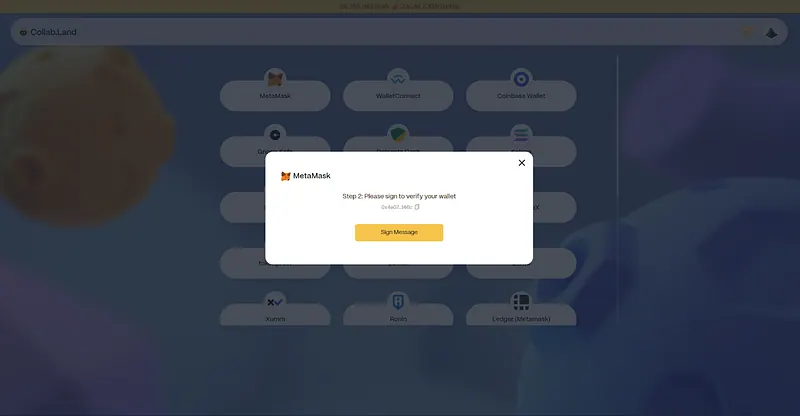
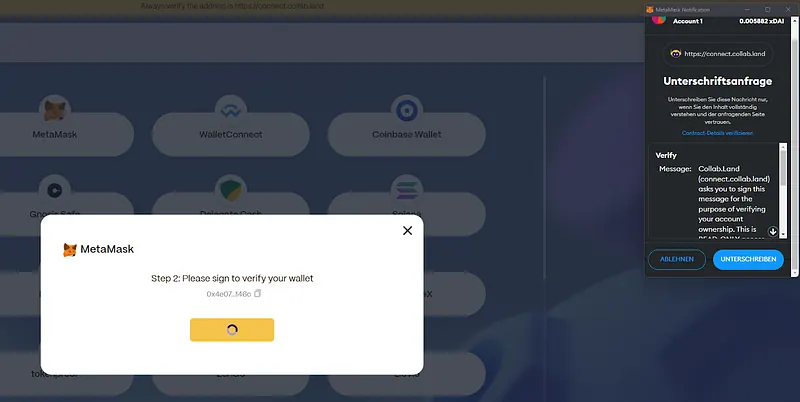
If you did within the 5 minutes, you will see this screen and can return to the Avado discord server where you should now see all channels and have full access.
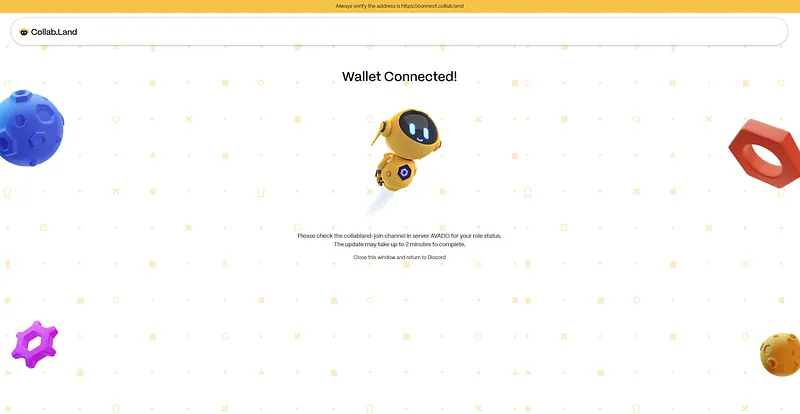
What to do if your signing failed
A “Signing failed” error most likely means the old link expired after 5 minutes. Go back to the #collabland-join channel on the Avado discord and click on “connect wallet” again to create a new link.
If that is not the problem please open a ticket on discord and we will look into it.
The same steps are in the AVADO documentation.